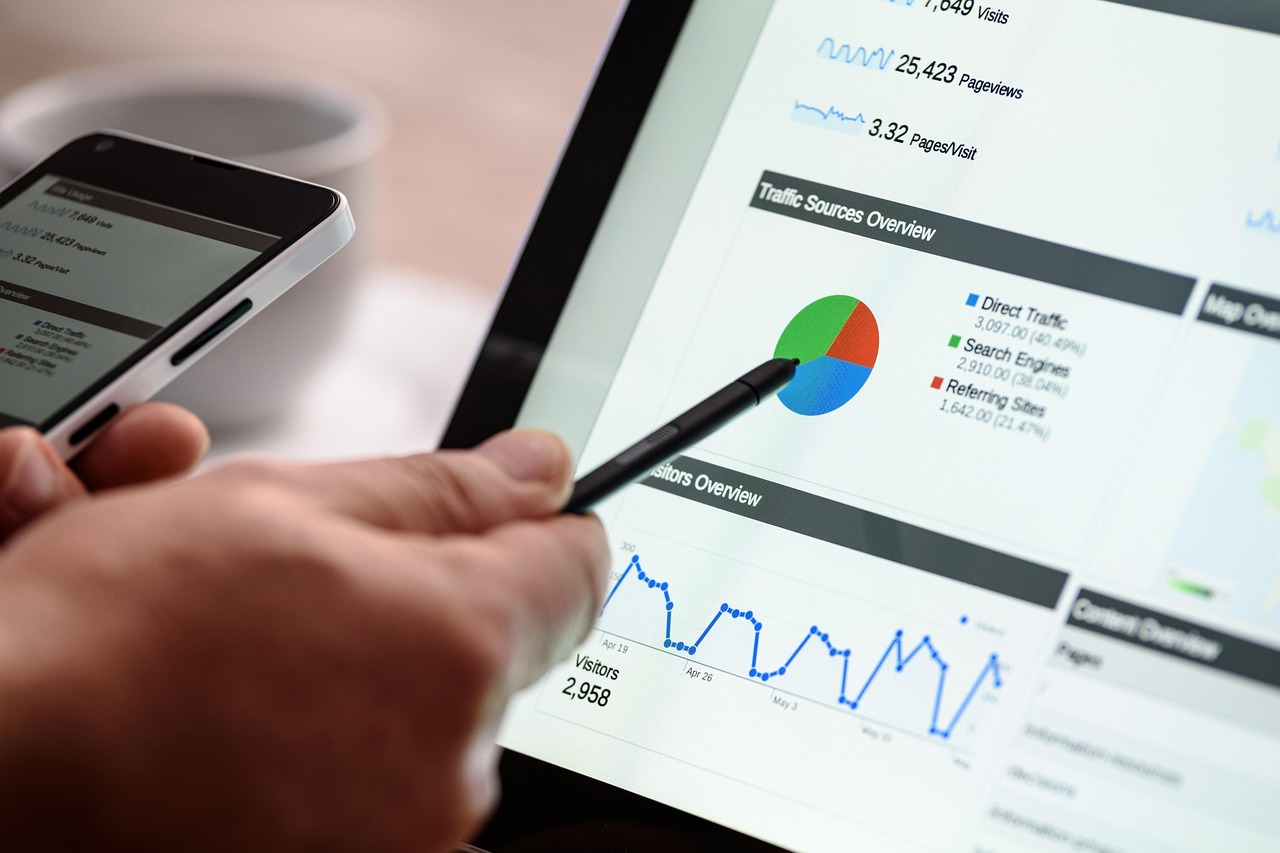

Customizing Dashboards for SEM Campaign Insights
In the realm of Search Engine Marketing (SEM), having well-customized dashboards is crucial to obtaining actionable insights from campaign data. A dashboard consolidates essential metrics in one view, making it easier to measure performance effectively. Start by identifying key performance indicators (KPIs) that align with your campaign objectives. Some common KPIs to track include click-through rates (CTR), conversion rates, and cost per acquisition (CPA). Furthermore, a well-structured dashboard can highlight trends over time, helping marketers to quickly ascertain what’s working and what isn’t, thereby informing future strategies. Consider utilizing various chart types, such as bar graphs and line charts, to visually representation trends over time. Additionally, incorporating heat maps can reveal where users are most engaged on your website, guiding improvements in landing pages. Custom filters can also enable stakeholders to drill down into specific segments, facilitating deeper analysis. Ensure to continually adapt your dashboards as objectives evolve, integrating new data sources and variables when necessary. Finally, sharing these insights with your team will create a collaborative ecosystem where data-driven decisions can flourish.
Essential Components of a Dashboard
A comprehensive SEM dashboard should encapsulate various essential components to facilitate informed decision-making. First, the overview section should provide a succinct snapshot of overall campaign health, reflecting the foundational metrics like total spend, impressions, clicks, and conversions. Second, segmentations based on devices, locations, and audience demographics can yield insights on target performance. For example, understanding how mobile users interact with campaigns may highlight areas for optimization. Third, integrations with tools like Google Analytics allow deeper insight into user behavior once they arrive on your site. Fourth, employing real-time data can enhance responsiveness to marketing challenges as they arise. For instance, if a particular ad set underperforms, timely adjustments may be made rather than waiting until scheduled reporting intervals. Additionally, adding annotations directly onto graphs can clarify any spikes or drops in performance. This facilitates easier communication and accountability among team members. Lastly, consider a comparison section that juxtaposes current performance with historical data, providing context to the figures presented. Therefore, these components create a holistic view that encourages ongoing improvements in SEM strategies.
Another core element of effective SEM dashboards is the ability to customize reports according to the audience’s needs. Different stakeholders often require tailored insights; while executives might be interested in high-level metrics, marketers typically delve into granular data. By designing dashboards that cater to various audiences, you encourage appropriate decision-making processes. Implementing features, such as export options for PDF or Excel formats, may help in creating personalized reports with ease. Facilitating easy access to these reports ensures that everyone from account managers to executives remains informed on campaign status. Furthermore, dashboards should enable filtering capabilities, which allow users to focus on specific campaigns or time periods. This flexibility can save crucial time when analyzing vast sets of metrics. Customizable views can also empower team members to explore the data in meaningful ways, uncovering insights that may have otherwise been overlooked. Integration with attribution models can further illuminate which channels are driving conversions, ensuring that marketing budgets are allocated efficiently. The ultimate goal is a dynamic dashboard that can evolve alongside your campaigns and deliver consistent, relevant insights to the team.
Visualizing Data for Better Insights
The design and layout of your SEM dashboard are crucial for ensuring data is communicated effectively. Data visualization should prioritize clarity over complexity; always ask if your visuals convey the intended message. Use color coding to draw attention to important metrics: green for metrics that meet targets, yellow for caution, and red for those that need immediate action. Visual elements like pie charts can illustrate budget allocations satisfactorily, while bar charts are excellent for comparing performance across segments. Incorporate tooltips and hover options that allow users to gather more details without cluttering the dashboard interface. Visualizing data in relevant contexts makes trends and anomalies easier to spot, allowing for timely adjustments. A warm-up section that displays performance trends alongside actionable recommendations can also improve insight quality, enhancing the team’s tactical decisions. Moreover, users should be trained on how to interpret and leverage these data visualizations effectively, ensuring maximum utility. Hosting workshops or collaboration sessions can maximize the impact of these dashboards, enabling team members to engage actively with the data.
Implementing user feedback into your SEM dashboards will enhance their effectiveness and ensure that they meet users’ needs. Regularly gather input from those who frequently use the dashboard, from marketers to management; their perspectives can reveal critical areas for improvement. Simple surveys, direct conversations, or observation during usage can guide relevant changes. Additionally, A/B testing different dashboard designs can help determine which configurations are most effective in conveying information. Use analytics tools to track how users engage with dashboards; this data can reveal friction points or popular sections. After iterating based on feedback, communicate the changes to your team, showcasing how their input was valuable. Continuous improvement ensures that dashboards remain aligned with performance goals and adapt to new challenges in SEM. Training sessions after major updates can also facilitate understanding of any new features introduced. Encourage a culture of ongoing feedback, where users are motivated to share their insights regularly. In this way, dashboards evolve to support a data-driven culture that fuels SEM success.
Real-time Updates and Automation
To remain agile in the fast-evolving world of SEM, real-time updates are essential in dashboard design. Setting up live data feeds allows marketers to track performance metrics as they happen, rather than relying solely on scheduled reports. This immediate insight can lead to timely optimizations, boosting campaign performance and achieving better ROI. Automation is key to ensuring dashboards remain updated without manual intervention, reducing the risk of errors or outdated information. Tools such as Google Data Studio or Tableau can streamline the process of integrating various data sources. Automating reporting processes also provides your team with daily, weekly, or monthly snapshots directly in their inboxes. Integrations with SEM platforms like Google Ads ensure that the data displayed on your dashboard reflects the most accurate information available. This also allows marketers to quickly pivot strategies when sudden changes in performance occur. Moreover, alerts for significant changes in performance metrics can proactively bring attention to potential issues. Combining real-time updates with automated reporting creates a responsive ecosystem where decisions are underpinned by the latest data, ensuring that your SEM strategy remains competitive.
Lastly, it’s vital to assess the overall effectiveness of your SEM dashboards regularly. Engaging in performance reviews enables teams to determine whether the customized dashboards align with initial objectives and goals. Setting up key benchmark reviews can help identify which insights have directly impacted campaign performance and which areas might require additional focus. This process involves close evaluation of metrics and outcomes against strategies formulated during planning stages. A systematic approach allows teams to differentiate between success stories and areas of concern, ensuring transparent team discussions regarding performance. Engaging stakeholders in this review cycle fosters collaboration and commitment to data-driven decision-making. Additionally, implementing periodic reviews ensures that dashboards do not become stale, continuously adapting to emerging trends and business needs. Keeping an eye on upcoming trends in SEM and technology upgrades can provide useful hints for future improvements. Lastly, documenting lessons learned through these assessments will help refine the dashboard design and strategy in the long run, making adjustments easier as the digital marketing landscape changes.
Conclusion
The future of SEM is undoubtedly tied closely to how effectively data is analyzed and utilized. Customizing dashboards for precise campaign insights not only improves performance tracking but also cultivates a culture of informed decision-making within teams. By focusing on essential components, utilizing effective visualizations, and engaging in regular user feedback, SEM professionals can create powerful tools that are responsive to the ever-evolving market demands. In doing so, dashboards become more than mere reporting tools; they transform into vital assets that empower teams to optimize their strategies and achieve long-term growth. Embracing real-time data and automation positions marketers for success in an increasingly competitive landscape. As digital marketing evolves, staying ahead requires agility and adaptability; customized dashboards facilitate these qualities. To maximize the value of your SEM efforts, it’s crucial to continuously assess and improve your dashboard. Ultimately, your dashboard should serve as a dynamic companion in your SEM journey, helping to illuminate insights that lead to impactful strategies and exceptional results.